
Draw your garden. It'll tell you what to do.
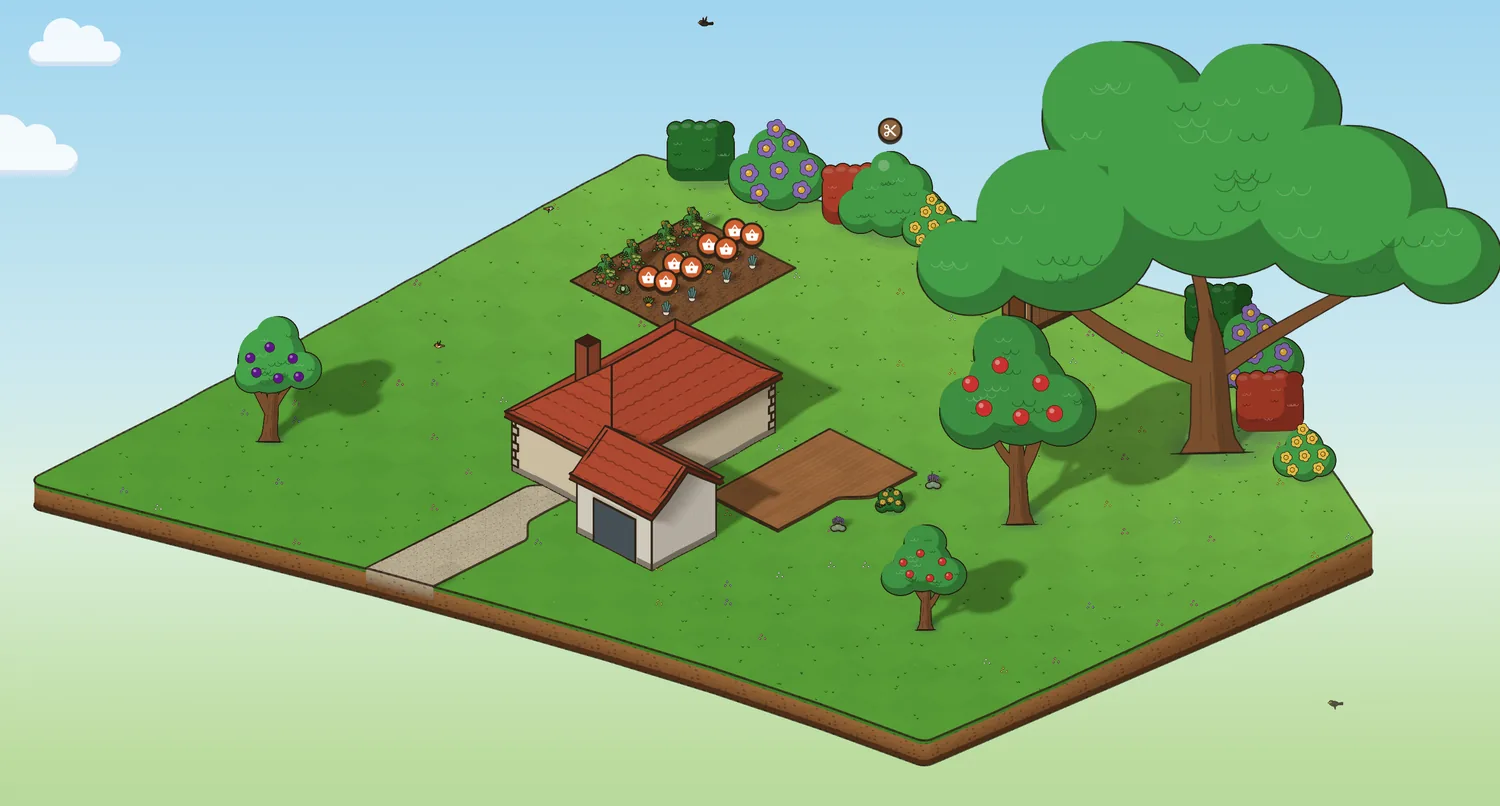
Draw your plot on the aerial photo (in France, just tap it on the land registry map): Jardingo turns it into 3D, with the slopes, the house, the sun and the shade of every hour. Place your plants, and the planner tells you when to sow, prune, water and harvest.
Create my gardenFree, no sign-up needed to start. In your browser; on Android and iPhone soon.

Your plot in 3D, in a single tap
In France, search for your address and tap your plot on the aerial photo: Jardingo takes its official land registry outline and the slopes measured by the IGN, every metre. It also finds the buildings, water, roads and paths, and builds your garden as it really is, slope included.
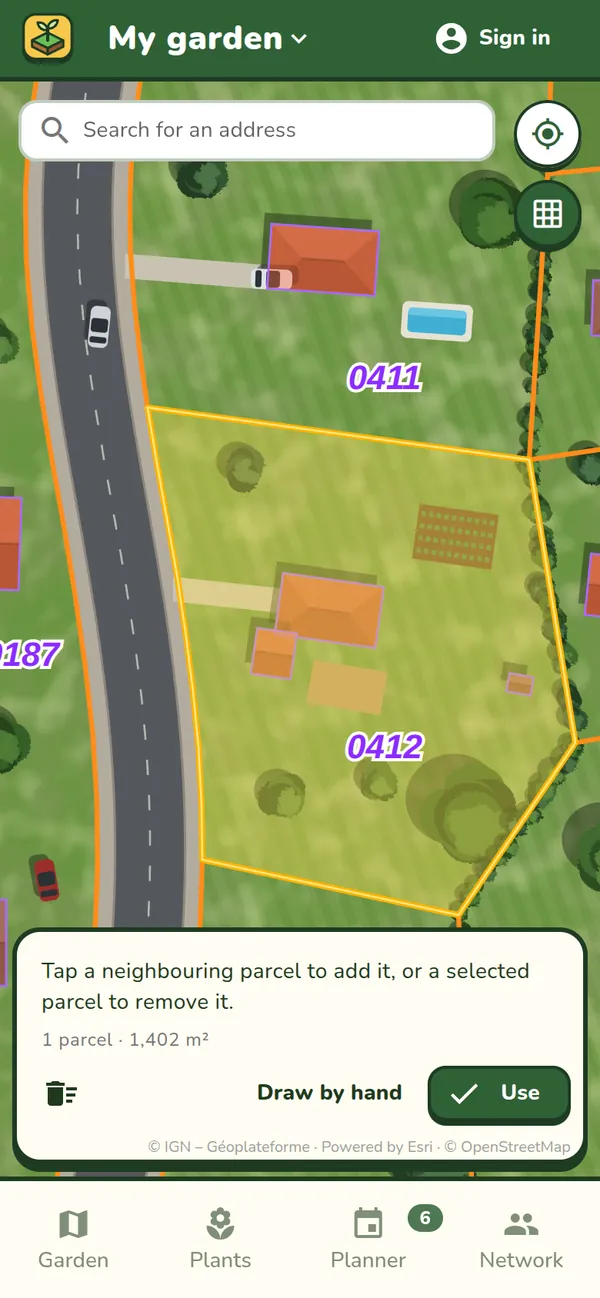
Outside France, or to fine-tune it: draw your plot by hand on the aerial photo, curved edges included.
And in 2D, a landscape designer's plan
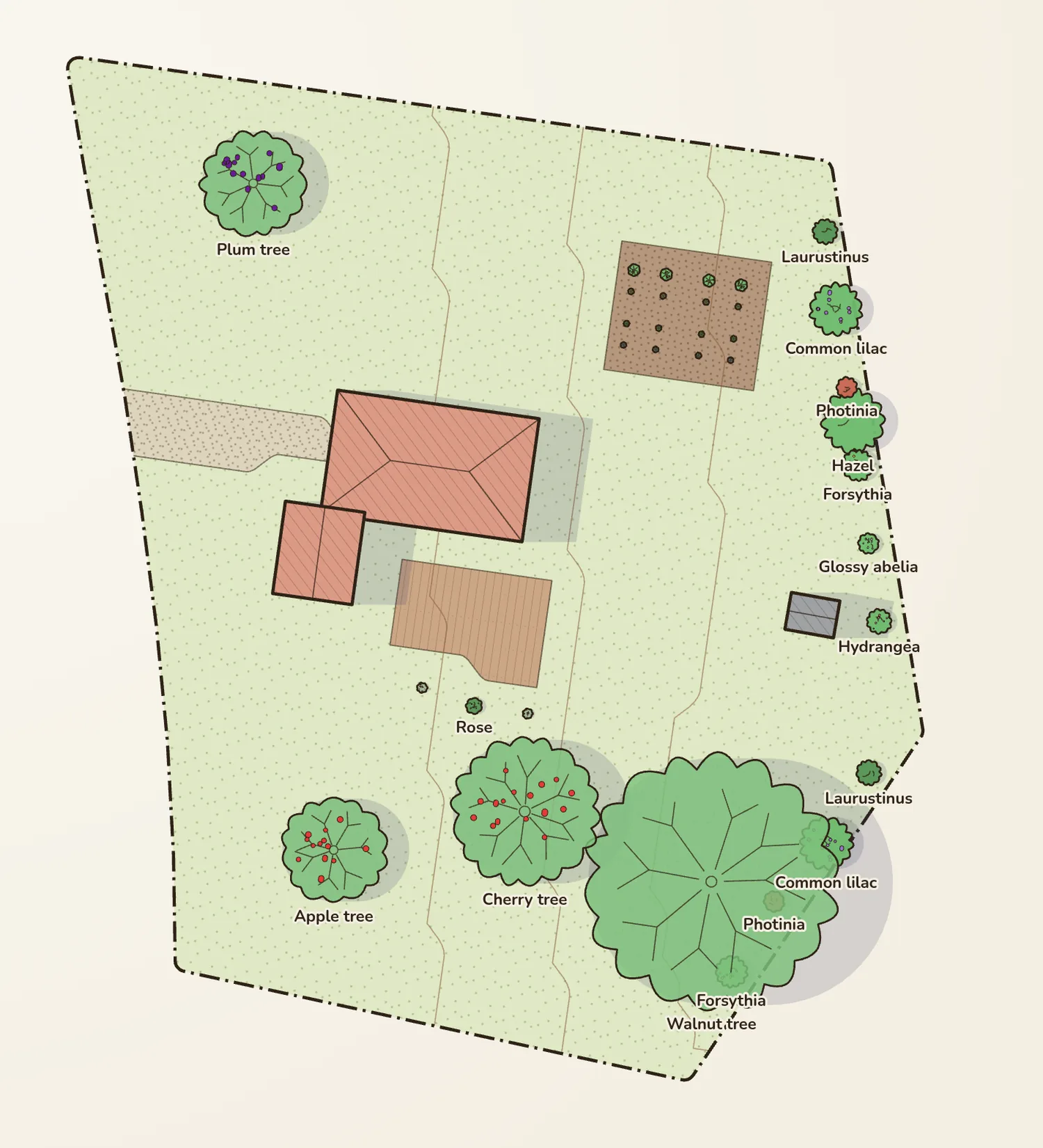
One button, and you see your garden from above, like a landscape designer's plan: every plant at its spread, the ground, fences, buildings, the contour lines of the slopes, the scale and the key.
- Place and move your plants, paint the ground, draw fences, put up buildings.
- Everything you do in 2D shows up in 3D, and the other way round.
- Ideal for checking distances and planning what to plant.
Over 700 plants, each with its own drawing
Pick a species, tap the garden: the plant takes its place on the planting grid, at its adult size. Fruit trees, hedges, roses, perennials, vegetables and herbs each have their own look, flowers and fruit.
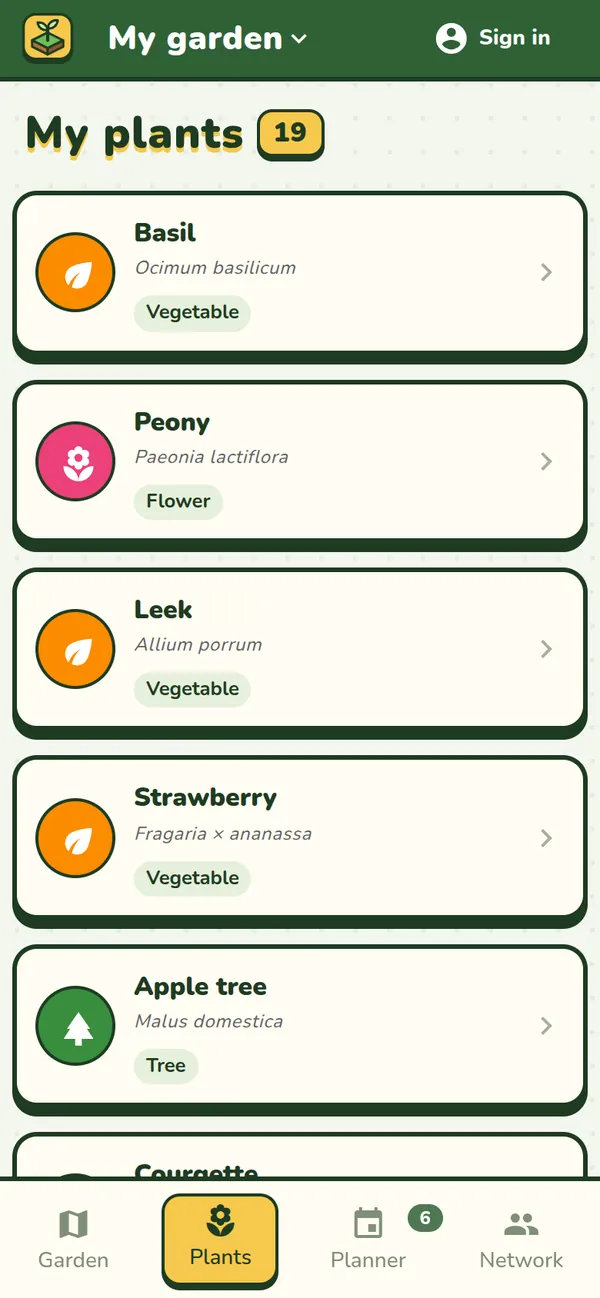
- A sheet for every plant: sun, water, hardiness, size, spacing, tips.
- With an account, a photo is enough: Jardingo identifies the plant with Pl@ntNet.
- A plant it doesn't know? Add it by its name.
A planner that knows your garden
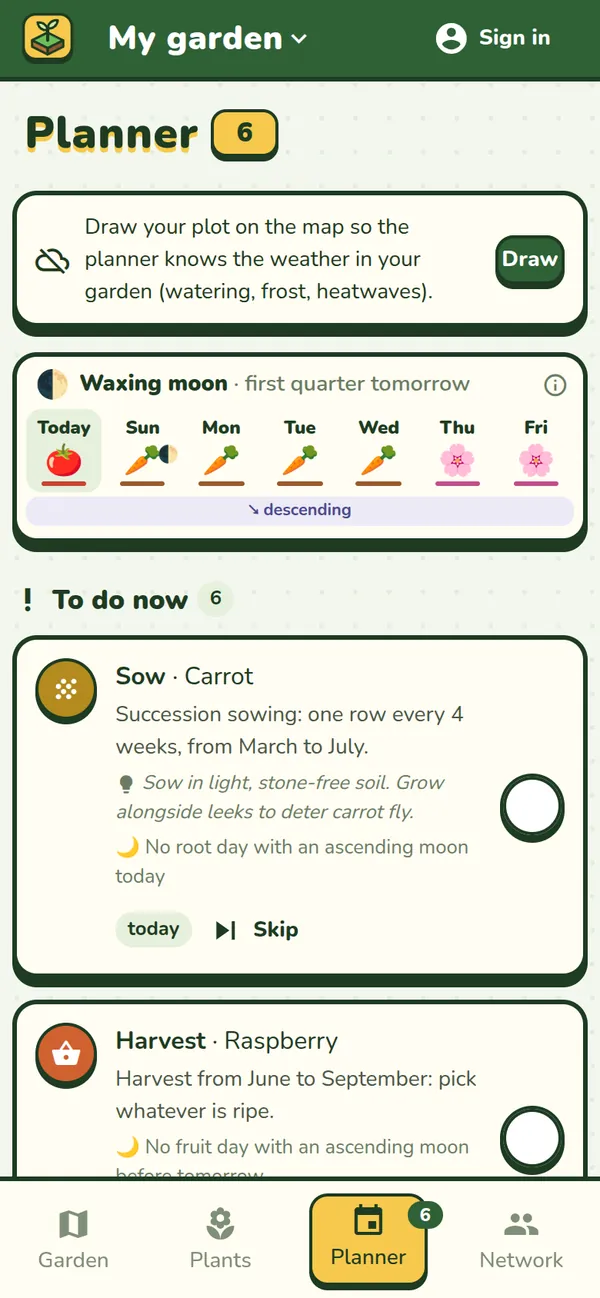
Jardingo works out what needs doing, plant by plant: sowing, planting, pruning, harvesting, mulching, feeding. The dates follow your garden's climate, based on the last ten winters.
- Watering based on actual rain and evaporation, frost and heatwave alerts.
- Successive sowings for lettuce, radishes, carrots or beans.
- A lunar calendar if you follow one: root, leaf, flower and fruit days.
- Tick off what's done, skip what doesn't apply.
Build everything else
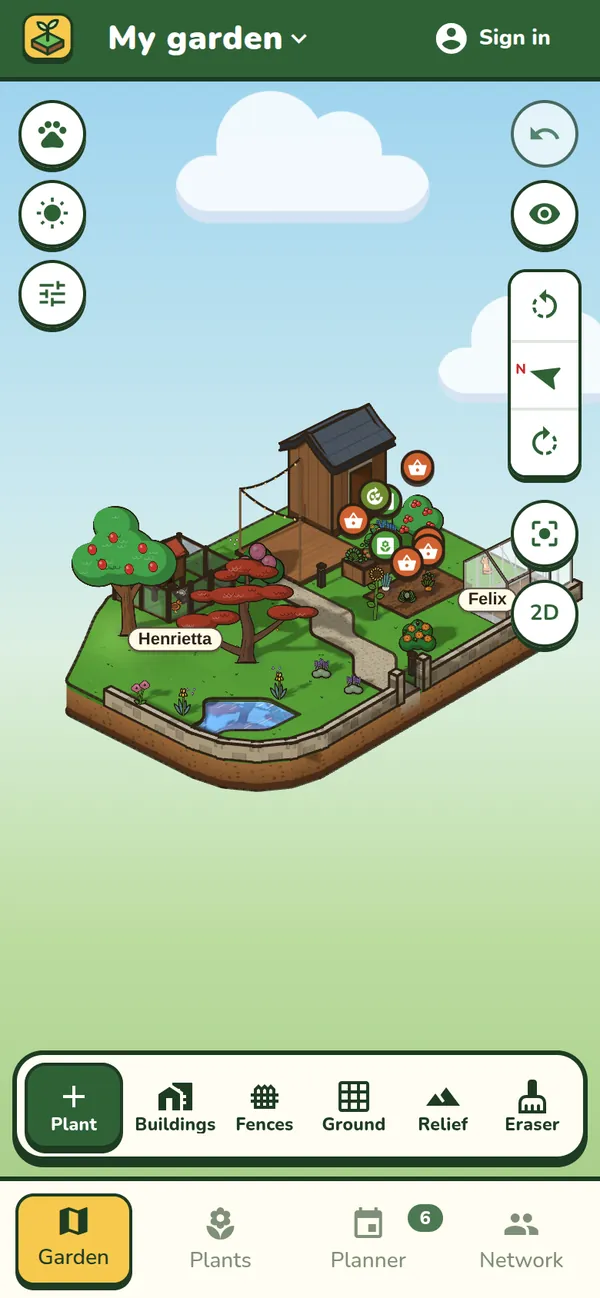
The house with its walls, roof, shutters and windows. A shed, a greenhouse, a hen house, raised beds. Hedges, fence panels, low walls with their gates. Decks, paths, a pond, and slopes shaped with a brush.
- Birds come to peck, the cat wanders about, the hens go back to their hen house.
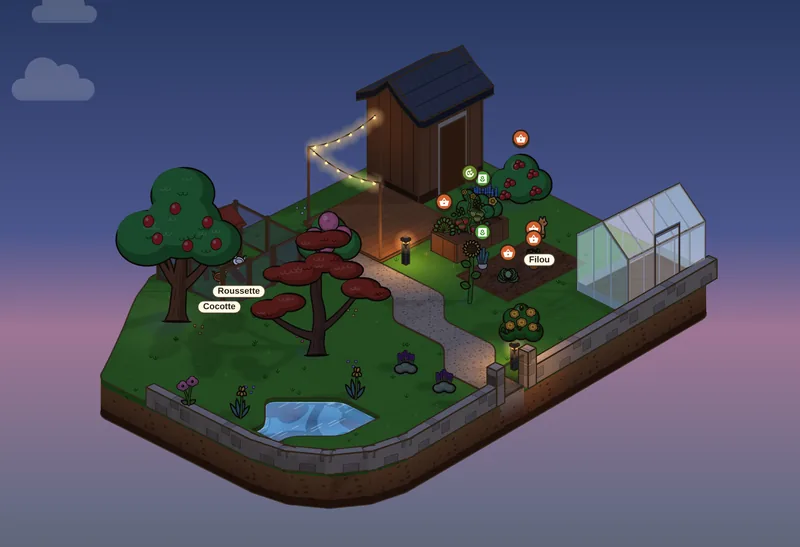
- String lights over the deck, bollards along the path: they light up at nightfall.
- Made a mistake? Undo, as many times as you need.
The sun at every hour
The light, the sky and the shadows follow the sun's path over the exact spot where your garden is. Move the clock forward to see where the shade will fall this afternoon, and pick the right spot for the tomatoes or the hydrangea.
And also
Animals
A cat, a dog, hens in the hen house, rabbits in the hutch, a goat or a goose: each with its own name.
Together
Show your garden to your friends, visit theirs and leave them a note, or edit a garden together. Your address is never shown.
Even without signal
Everything works offline, at the bottom of the garden. With an account, your garden syncs between your phone and your computer.
Morning reminders
In the Android and iPhone app, a reminder at 8 am when a task comes up, and an alert before frost or a heatwave.
Garden sounds
If you like, birds by day, crickets at night, and some gentle music.
Several gardens
Your garden, the allotment, the holiday home: each one has its own plan, plants and planner.
Questions
What is Jardingo?
Jardingo is a free app for drawing your garden and looking after it. Draw your plot on the aerial photo, or in France just tap it on the land registry map: Jardingo turns it into 3D and a 2D plan, with the slopes, the house and the sun at every hour. Place your plants from over 700 species, and a planner worked out for your garden tells you when to sow, plant, prune, water and harvest. It runs in the browser, in English, French, Spanish and German.
How do I make a 3D plan of my garden?
In Jardingo, search for your address and draw your plot on the aerial photo; in France, just tap it and the official land registry outline, the slopes and the buildings are added automatically. Then add the house, fences, decks, paths and your plants: you see the garden in 3D or as a 2D plan, to scale.
How do I know when to sow, prune or harvest?
Jardingo's planner works it out for every plant in your garden: the species' sowing, planting, pruning and harvest months, shifted for your garden's hardiness (based on the last ten winters), and watering based on the rain that actually fell. It also warns you before frost and heatwaves.
Is Jardingo free?
Yes: every current feature is free, with no adverts.
Do I need an account?
Not to get started: your garden is saved on your device. An account lets you use it on several devices, share it with your friends and identify a plant from a photo.
Does it work outside France?
Yes. The 3D plan, the planner and the weather work everywhere. In France, Jardingo also finds the land registry plots, the slopes, the buildings, water and roads by itself (IGN data).
Is there an Android and iPhone app?
They are coming soon to Google Play and the App Store. In the meantime, Jardingo works in the browser, on your phone as well as your computer.
Who can see my garden?
You, and the friends you show it to. There are no public gardens, and your address is never shown: visitors see your garden, not where it is. Photos are saved without their GPS location. Privacy policy
Which plants does it know?
Over 700 common species: trees, fruit trees, shrubs, hedges, flowers, bulbs, vegetables and herbs, each with its own drawing, adult size and calendar. You can also add any plant by its name.